

Introduction
If you have ever blown an account because you did not understand your margin, you are not alone. NinjaTrader margin requirements catch traders off guard every single day. They open a position thinking they have enough cushion, and then a small market move wipes out their buying power. It is painful, and it is avoidable.
NinjaTrader margin requirements are one of the most important concepts you need to master before you trade a single futures contract. Whether you are just getting started or you have been trading for years, understanding exactly how margin works in NinjaTrader can save your account and sharpen your strategy. This article covers everything: what NinjaTrader margin requirements actually mean, how intraday and overnight margins differ, how brokers set their own rules on top of exchange minimums, and what you need to do to stay protected. By the end, you will know exactly how to trade smarter and stay in the game longer.
What Are NinjaTrader Margin Requirements 2026?
| Contract | Intraday Margin* | Initial Margin | Maintenance Margin |
|---|---|---|---|
| E-mini S&P 500 (ES) | $500 | Varies | Varies |
| E-mini Nasdaq-100 (NQ) | $1,000 | Varies | Varies |
| Micro E-mini S&P 500 (MES) | $50 | Varies | Varies |
| Micro E-mini Nasdaq-100 (MNQ) | $100 | Varies | Varies |
| E-mini Dow (YM) | $500 | Varies | Varies |
| Micro E-mini Dow (MYM) | $50 | Varies | Varies |
| Contract | Symbol | Day/Intraday Margin | Overnight/Initial Margin |
|---|---|---|---|
| Micro E-mini S&P 500 | MES | Current rate* | Current rate* |
| Micro E-mini Nasdaq-100 | MNQ | Current rate* | Current rate* |
| E-mini S&P 500 | ES | Current rate* | Current rate* |
| E-mini Nasdaq-100 | NQ | Current rate* | Current rate* |
Rates can change; verify current rates with NinjaTrader before trading.
NinjaTrader MNQ Intraday Margin 2026
Intraday margins can change based on market conditions, contract specifications, and NinjaTrader’s current margin policy. Always check the latest official requirements before trading.
NinjaTrader margin requirements refer to the minimum amount of capital you must have in your account to open and hold a futures position. Think of it as a good-faith deposit. You are not paying the full value of the contract. You are posting a fraction of it to control a much larger position.
This is what makes futures trading so powerful and, at the same time, so risky. A small amount of capital controls a large notional value. That leverage amplifies both your gains and your losses.
There are two main types of margin you need to know:
Initial Margin: The amount required to open a new position. This is set by the exchange, like CME Group, and your broker may add a buffer on top of it.
Maintenance Margin: The minimum balance you must maintain while holding the position. If your account drops below this level, you receive a margin call.
NinjaTrader margin requirements work within this framework. The platform itself connects to your broker, and your broker enforces the actual margin rules based on exchange guidelines and their own risk policies.
NinjaTrader MNQ Margin Requirements 2026
The Micro E-mini Nasdaq-100 (MNQ) futures contract is designed to provide smaller position sizes than the standard E-mini Nasdaq-100 contract. In 2026, NinjaTrader’s MNQ margin requirements can vary depending on whether you are trading during regular market hours or outside them. Traders should check the latest NinjaTrader margin schedule before opening a position, as requirements can change with market conditions.
For MNQ, the contract represents $2 × the Nasdaq-100 Index, while the minimum price fluctuation is 0.25 index points, equal to $0.50 per tick. Because futures are leveraged, you only need to deposit the required margin rather than the full notional value of the contract. However, margin is not a down payment—it is a performance bond, and losses can exceed the amount initially deposited.
Intraday vs. Overnight NinjaTrader Margin Requirements
This is where most traders get confused, and it is a critical distinction.
NinjaTrader Overnight Margin
Intraday margin is the reduced margin rate that many brokers offer during regular trading hours. For example, if the overnight margin on the E-mini S&P 500 (ES) is around $13,000 per contract, some brokers may offer intraday NinjaTrader margin requirements as low as $500 to $1,000 per contract.
This makes sense for day traders who open and close positions within the same session. You are not exposed overnight, so the broker reduces the required deposit.
Several NinjaTrader-compatible brokers offer competitive intraday margins:
- NinjaTrader Brokerage sets its own intraday minimums, often very competitive for popular contracts.
- Tradovate and Amp Futures also integrate with NinjaTrader and publish their own intraday margin tables.
- IBKR (Interactive Brokers) uses a more dynamic margin system based on volatility.
Always check the specific broker’s margin table. NinjaTrader as a platform connects to multiple brokers, and each broker sets their own NinjaTrader margin requirements on top of the exchange minimums.
Overnight Margin
Overnight margin is significantly higher. If you hold a position past the daily cutoff time, For many popular CME futures contracts, NinjaTrader’s intraday margin ends 15 minutes before the session close. For ES and MES, the listed cutoff is currently 3:45 PM CT, although schedules can vary by product. Source: ninjatrader.com
If it does not, your broker will close your position automatically. This is not optional. The broker protects themselves and you by force-liquidating the trade.
This is a common trap for new traders. You open a position with $1,500 in a low intraday margin environment. You forget to close it. The session ends. Overnight NinjaTrader margin requirements kick in at $13,000. Your account does not have it. Your position gets closed, likely at a bad price.

How NinjaTrader Margin Requirements Vary by Contract
Not all futures contracts carry the same NinjaTrader margin requirements. The exchange sets margin levels based on the contract’s volatility and notional value. Higher volatility means higher margin.
Here is a quick look at approximate margin levels (these change regularly based on market conditions):
| Contract | Symbol | Approx. Overnight Margin | Typical Intraday (broker-specific) |
|---|---|---|---|
| E-mini S&P 500 | ES | $13,200 | $500–$1,200 |
| E-mini NASDAQ-100 | NQ | $17,600 | $1,000–$2,000 |
| Micro E-mini S&P 500 | MES | $1,320 | $50–$120 |
| Crude Oil | CL | $5,000–$8,000 | $500–$1,500 |
| Gold | GC | $9,000–$12,000 | $1,000–$2,500 |
| 10-Year Treasury | ZN | $1,500–$2,500 | $300–$700 |
The Micro contracts, like MES and MNQ, are popular for traders with smaller accounts because the NinjaTrader margin requirements are proportionally lower. They give you real market exposure without requiring the full capital of the standard contracts.
NinjaTrader MES Day Trading Margin Requirements 2026
- MES day-trading margin: NinjaTrader currently lists a $50 intraday margin per Micro E-mini S&P 500 (MES) contract.
- What MES is: MES tracks the S&P 500 and is one-tenth the size of the standard ES contract. One MES point is worth $5, while each 0.25-point tick is worth $1.25.
- Day trading vs. overnight: The $50 margin applies to positions opened and closed during the applicable intraday period. Holding MES beyond the required cutoff means you need the applicable overnight/initial margin, which is substantially higher.
- Margin is not the maximum amount you can lose: The $50 requirement gives you access to a leveraged futures position; losses can exceed the margin amount.
- How many MES contracts can you trade? The theoretical minimum margin is $50 × number of contracts. For example, 5 MES contracts would require at least $250 in intraday margin. However, trading at the absolute minimum leaves very little room for losses and is highly risky.
- Margin can change: NinjaTrader can adjust intraday margin requirements based on market conditions and volatility, so traders should check the current margin table before trading.
- Closing deadline matters: NinjaTrader states that intraday margins apply until 15 minutes before the session close for CME equity products; positions that remain open must meet the required initial margin.
- Margin violations: If an account does not maintain the required margin, NinjaTrader may liquidate the position and apply applicable fees.
- Recommended account size: Although $50 may technically be enough to meet the intraday margin for one MES contract, NinjaTrader itself recommends treating the intraday margin as a minimum, not as an appropriate trading account size.
Quick Example
| MES Contracts | Minimum Intraday Margin |
|---|---|
| 1 MES | $50 |
| 2 MES | $100 |
| 5 MES | $250 |
| 10 MES | $500 |
Important: These are margin requirements, not recommended account balances. A sensible trading balance should include enough excess capital to absorb normal price fluctuations and trading losses. NinjaTrader also notes that futures leverage increases risk. Source: ninjatrader.com
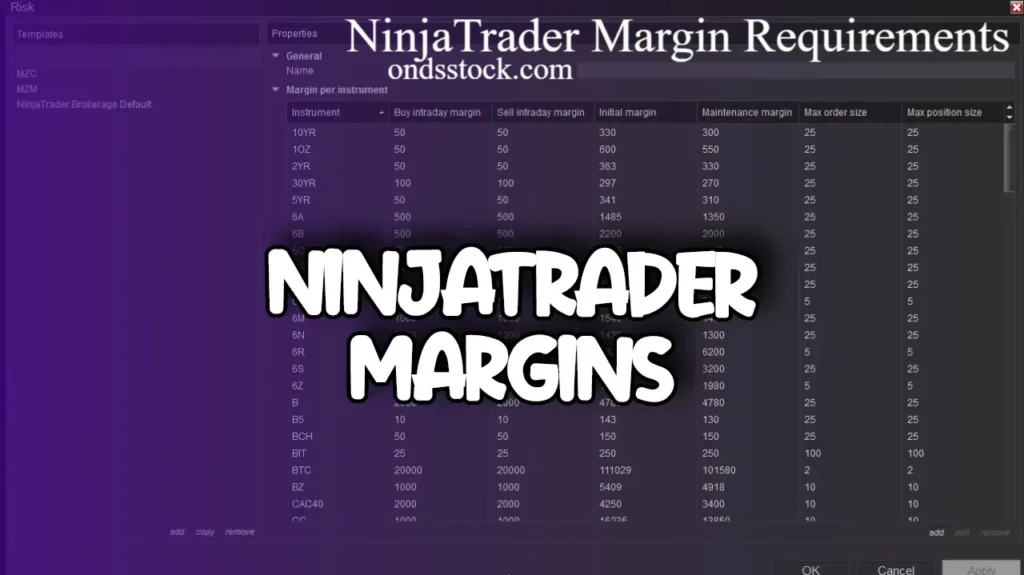
Where to Find NinjaTrader Margin Requirements in the Platform
Knowing where to look inside NinjaTrader saves you confusion. Here is how you access margin information:
- Account Summary Window: Open this from the Control Center. It shows your real-time buying power, margin used, and available margin.
- Positions Tab: Displays open positions and their unrealized profit or loss, which directly affects your margin status.
- Broker’s Website or Portal: NinjaTrader connects to your broker. Log into your broker’s dashboard directly to see the most current margin table and requirements for each instrument.
- NinjaTrader’s Instrument Settings: In the Instrument Manager, you can see contract specs that include margin references, though the authoritative numbers always come from your broker.
Getting familiar with these windows is a must. You should check your margin status before every trade and monitor it actively during volatile sessions.
How Margin Calls Work in NinjaTrader
A margin call happens when your account equity falls below the maintenance margin level. In NinjaTrader, this plays out quickly and often automatically.
Here is the typical sequence:
- You open a position that meets the initial NinjaTrader margin requirements.
- The market moves against you.
- Your account equity drops toward the maintenance margin threshold.
- Your broker triggers a margin call, either by alerting you or auto-liquidating the position.
Most NinjaTrader-compatible brokers use automatic liquidation rather than waiting for you to respond. This protects the broker from losses if you are not monitoring your account.
There is no warning grace period in most cases. Your position gets closed. If it closes at a loss, your account balance drops. If that loss pushes you below the minimum account balance the broker requires, you may face restrictions or need to deposit more funds.
The best protection is simple: never use all your available margin. Keep a healthy buffer. A good rule many experienced traders follow is using no more than 25 to 30 percent of their available margin on any single position.
Why NinjaTrader Margin Requirements Change
NinjaTrader margin requirements are not static. The exchange and your broker can change them at any time based on market conditions.
During periods of high volatility, like major economic reports, Fed announcements, or geopolitical events, margin requirements often increase. This is the exchange’s way of managing systemic risk. They raise the deposit requirement so traders have more skin in the game and the clearing system remains protected.
You might wake up one morning and find that overnight NinjaTrader margin requirements on crude oil jumped 20 percent because of supply disruptions. Your position that was fine the night before now needs more capital to hold.
This is why you must:
- Check margin requirements before holding overnight during high-risk events.
- Subscribe to CME Group’s margin notices or your broker’s alerts.
- Maintain enough excess equity as a buffer against sudden increases.
NinjaTrader Brokerage Specific Margin Rates
If you use NinjaTrader Brokerage as your clearing firm, they publish their own margin tables. These are generally among the most competitive intraday NinjaTrader margin requirements available for active traders.
As of recent data, NinjaTrader Brokerage offers:
- Micro contracts (MES, MNQ, MYM, M2K) with intraday margins as low as $50 per contract.
- Full-size contracts like ES, NQ, and RTY at competitive intraday rates.
- Overnight margins that follow CME Group guidelines.
These numbers are subject to change. Always verify directly with NinjaTrader Brokerage before trading. The official source is their website or your account dashboard inside the NinjaTrader platform.
Tips to Manage NinjaTrader Margin Requirements Effectively
Here are practical ways to keep your margin situation under control:
Start with Micro Contracts If you are new or working with a smaller account, trade Micro E-mini contracts. NinjaTrader margin requirements on these are a fraction of the standard contracts. You get real market experience without overexposing your capital.
Never Hold Through News Events Without a Plan Economic data releases cause violent price swings. Margins can gap beyond your stop loss. Know what data is coming out and decide in advance whether to flatten before the release.
Set a Hard Rule on Position Size Many traders calculate their position size before opening a trade to ensure they will still have at least 50 percent of their account as free margin after entry. This gives you room to breathe through normal volatility.
Use NinjaTrader’s Risk Management Tools The platform includes account-level risk controls. You can set maximum daily loss limits and maximum position limits. These are automatic safety valves that protect you from margin disasters during bad trading days.
Monitor Your Account During the Intraday Cutoff Know exactly when your broker’s intraday window closes. Set an alarm if you need to. Missing the cutoff while holding a position is one of the most expensive mistakes you can make with NinjaTrader margin requirements.
NinjaTrader Futures Margin Requirements
NinjaTrader futures margins vary significantly by contract. The table below gives a simple comparison of commonly traded futures contracts:
| Futures Contract | Symbol | Typical Day-Trading Margin* | Contract Size |
|---|---|---|---|
| Micro E-mini S&P 500 | MES | ~$50–$100 | $5 × S&P 500 Index |
| Micro E-mini Nasdaq-100 | MNQ | ~$100–$150 | $2 × Nasdaq-100 Index |
| Micro E-mini Dow | MYM | ~$50–$100 | $0.50 × Dow Index |
| Micro E-mini Russell 2000 | M2K | ~$50–$100 | $5 × Russell 2000 Index |
| E-mini S&P 500 | ES | ~$500–$1,000 | $50 × S&P 500 Index |
| E-mini Nasdaq-100 | NQ | ~$1,000–$2,000 | $20 × Nasdaq-100 Index |
| E-mini Dow | YM | ~$500–$1,000 | $5 × Dow Index |
| E-mini Russell 2000 | RTY | ~$500–$1,000 | $50 × Russell 2000 Index |
*Day-trading margins can change based on NinjaTrader’s current requirements, market volatility, trading hours, and contract. They are different from the higher overnight/initial margin requirements.
Which Futures Contract Requires the Least Margin?
Among the popular contracts, Micro E-mini contracts generally require much less capital than their E-mini counterparts. For example, MES provides S&P 500 exposure with a much smaller contract size than ES, making it a common choice for traders who want to manage position size and risk more carefully.
Important: Margin is not the same as the maximum amount you can lose. Futures are leveraged products, so a relatively small price movement can produce a significant gain or loss relative to the margin deposited.
Common Mistakes Traders Make with NinjaTrader Margin Requirements
Let me be direct about the mistakes that cost traders real money:
Mistake 1: Assuming the Same Margin Applies All Day Many traders do not realize intraday margins expire. They trade as if the low margin rate is permanent. It is not.
Mistake 2: Ignoring Margin Calls If you ignore a margin call expecting the market to come back, you are gambling. Your broker will close the position for you, often at the worst possible time.
Mistake 3: Over-Leveraging During Low-Volatility Periods Low volatility lures traders into large positions because the margin cost feels manageable. Then volatility spikes, and the loss is catastrophic.
Mistake 4: Not Knowing Your Broker’s Specific Rules NinjaTrader connects to many brokers. Each one has different NinjaTrader margin requirements, different cutoff times, and different liquidation procedures. Know your broker’s exact rules.
Mistake 5: Confusing Buying Power with Profitability Having enough buying power to open a position does not mean the trade is a good idea. Margin availability and edge are two completely different things.
Conclusion
NinjaTrader margin requirements are not just a technical detail. They are the foundation of responsible futures trading. If you ignore them, you risk losing your entire account on a single bad session. If you master them, you build a trading operation that can survive volatility, stay in profitable trades, and grow steadily over time.
The key takeaways are simple. Know the difference between intraday and overnight NinjaTrader margin requirements. Understand that your broker sets final rules on top of exchange minimums. Use Micro contracts if your account is small. Never over-leverage. And always keep a margin buffer so one bad trade does not end your career.
Now that you understand how NinjaTrader margin requirements work, what is your biggest challenge managing margin in your own trading? Drop your question or experience in the comments. If this article helped you, share it with another trader who needs to read it.
Frequently Asked Questions
1. What are the minimum NinjaTrader margin requirements for the E-mini S&P 500? The overnight margin for ES is set by CME Group and is typically around $13,200 per contract. Intraday NinjaTrader margin requirements vary by broker and can be as low as $500 during regular trading hours. Always check with your specific broker for the current rates.
2. Does NinjaTrader set its own margin requirements? NinjaTrader as a platform does not set margin requirements directly. The exchange (like CME Group) sets the baseline, and your broker enforces those rules plus their own policies. If you use NinjaTrader Brokerage, they publish their own competitive intraday margins.
3. What happens if I do not meet NinjaTrader margin requirements? If your account equity falls below the maintenance margin level, your broker will issue a margin call. Most NinjaTrader-compatible brokers use automatic liquidation, meaning they close your position without waiting for your response.
4. Can I trade with a small account on NinjaTrader? Yes. Micro E-mini contracts have significantly lower NinjaTrader margin requirements. You can trade the MES (Micro E-mini S&P 500) with intraday margins as low as $50 at some brokers, making it accessible for smaller accounts.
5. How often do NinjaTrader margin requirements change? Margin requirements can change at any time based on market volatility. Exchanges typically adjust them during major events or sustained volatile periods. Always check your broker’s margin table before holding positions overnight or through news events.
6. What is the difference between initial margin and maintenance margin in NinjaTrader? Initial margin is the amount needed to open a position. Maintenance margin is the minimum balance required to keep the position open. If your account falls below maintenance margin, you face a margin call. NinjaTrader margin requirements include both concepts depending on your account status.
7. Do NinjaTrader margin requirements apply to paper trading accounts? In NinjaTrader’s simulated trading environment, margin requirements are reflected to give you a realistic experience. However, since no real money is at risk, the consequences of a margin call are not the same as in a live account.
8. What time does intraday margin end in NinjaTrader? The intraday cutoff time depends on your broker. For many US futures contracts, the cutoff is around 3:00 PM CT or 4:00 PM CT. After that time, overnight NinjaTrader margin requirements apply. Check your broker’s exact schedule to avoid surprises.
9. Can NinjaTrader margin requirements increase during a live trade? Yes. If the exchange raises margin requirements during a volatile session, your broker may require additional funds immediately. This is rare intraday but more common between sessions. Holding excess equity protects you from this scenario.
10. Where can I find real-time NinjaTrader margin requirement data? Check your broker’s official website or account portal. CME Group also publishes margin rates on their website for reference. Inside NinjaTrader, the Account Summary window shows your current margin usage in real time.
About the Author
Jordan Mathis is a futures trader and financial content writer with over a decade of experience in derivatives markets. He specializes in trading platform education, risk management strategies, and futures contract analysis. Jordan has contributed to several trading education publications and helps retail traders navigate the technical and practical side of platforms like NinjaTrader.
Also read ondsstock.com
Email: johanharwen314@gmail.com
Author Name: Johan Harwen